ClosedXML: Font name is not respected for right-to-left fonts
Read and complete the full issue template
Do you want to request a feature or report a bug?
- Bug
- Feature
Version of ClosedXML
0.87.0.0
What is the current behavior?
Font name is not applied. While after opening Excel the font name is shown on selecting the cell, the content is not actually rendered in that font. By changing font and changing back the correct font name is applied.
What is the expected behavior or new feature?
By setting the font name in program, the correct font be applied.
Did this work in previous versions of our tool? Which versions?
I don’t know.
Reproducibility
Here is a simple program, and the result in gif:
    class Program
    {
        static void Main(string[] args)
        {
            using (var workbook = new ClosedXML.Excel.XLWorkbook())
            {
                var sheet = workbook.Worksheets.Add("Test");

                var a1 = sheet.Cells("A1");
                a1.Value = "سلام";
                a1.Style.Font.FontName = "Tahoma";
                a1.Style.Font.FontSize = 36;

                var a2 = sheet.Cells("A2");
                a2.Value = "سلام";
                a2.Style.Font.FontName = "B Yagut";
                a2.Style.Font.FontSize = 36;

                var a3 = sheet.Cells("A3");
                a3.Value = "سلام";
                a3.Style.Font.FontSize = 36;

                sheet.Columns("A").AdjustToContents();
                workbook.SaveAs(@"C:\Temp\ClosedXmlFontTest.xlsx");
            }
        }
    }
Here’s the result file, it’s NOT opened yet: ClosedXmlFontTest.xlsx
And here’s the gif, showing it on my desktop (opened another copy, not the one attached here):
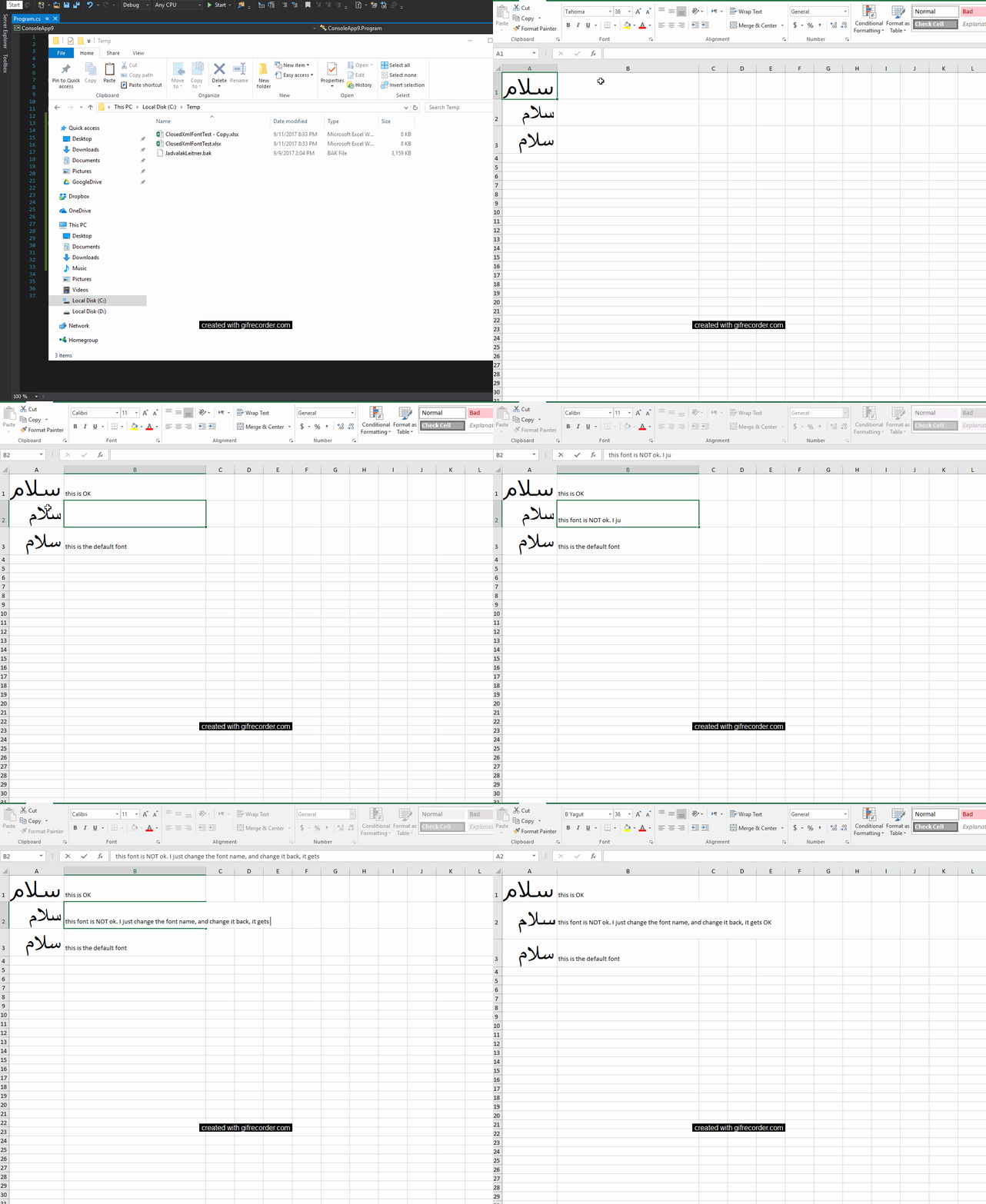
Excel version: 2016 MSO (16.0.4266.1001) 64-bit Windows version: 10 Enterprise 64-bit
About this issue
- Original URL
- State: closed
- Created 7 years ago
- Comments: 20 (10 by maintainers)
I have installed the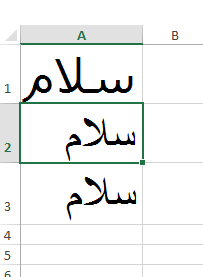
B Yagutfont. If I run your code, I get this:If I run this code (notice the extra line that sets the FontFamilyNumbering)
Is that the expected output?