ioBroker.docker: can't get it to run on Raspberry Pi 4 - all time rejected :(
Heya,
I have a raspberry pi 4 with 4 gb ram.
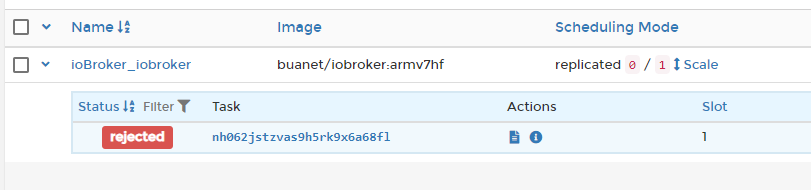
Now I just try to get iobroker running in my docker environment and it is always rejecting. I run docker in swarm mode to be able to use stacks in portainer.
I also tryed the image buanet/iobroker:arm7hf without success.
Can anyone help?
version: '3.7'

volumes:
  iobroker_data:

networks:
 hostnet:
   external: true
   name: host

services:
  iobroker:
    restart: always
    image: buanet/iobroker:latest
    hostname: iobroker
    networks:
     hostnet: {}
    ports:
      - 8081:8081
    volumes:
      - iobroker_data:/opt/iobroker
    environment:
      TZ: Europe/Berlin
      LANG: de_DE.UTF-8
      LANGUAGE: de_DE:de
      LC_ALL: de_DE.UTF-8
      PACKAGES: nano
      SETGID: 1000
      SETUID: 1000
About this issue
- Original URL
- State: closed
- Created 4 years ago
- Comments: 19 (9 by maintainers)
Hi, here you can find how to set ip binding and port for admin adapter: https://forum.iobroker.net/topic/11774/binding-der-ip-adresse-des-admin-adapters
BTW the following tells me, that you not started a “completly fresh installation of ioBroker”:
Other than that I have no idea what’s going wrong. Log looks good so far. ioBroker is starting. Did you check if port 8081 is listening? https://www.thomas-krenn.com/de/wiki/Linux_Netzwerk_Analyse_mit_netstat
Regards, André