ios-branch-deep-linking-attribution: Links not being created correctly
It seems to be the same problem as the https://github.com/BranchMetrics/ios-branch-deep-linking/issues/834 (closed issue ¯\_(ツ)_/¯) here on Peixe Urbano app, and like @joaopedro1520 said there, it doesn’t seems to be related to internet since our app relies entirely on it and is running fine on related scenario.
Print of link being generated link:
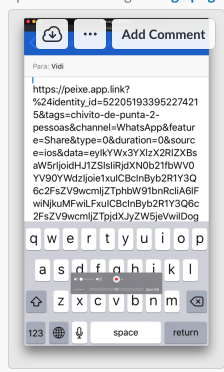
Tests
- on a sequence of about
5 tests, only1 generated the short link. And this is happening for about some weeks, and here’s how it is influencing our sharing performance with about 45% of failed experiences:
45% fail between 23 apr ~ 21 may:

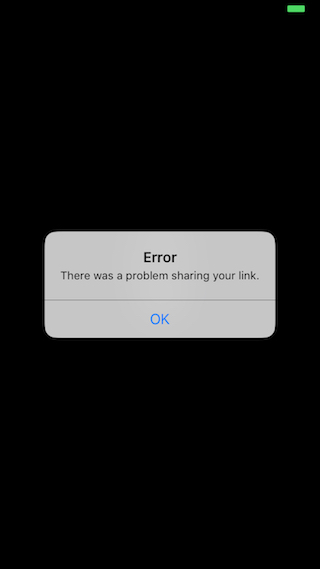
Failing with Facebook SDK:
The link work on WhatsApp sharing, but it fails if our user try it on Facebook, as you can see int this print:
best,
About this issue
- Original URL
- State: closed
- Created 6 years ago
- Comments: 26 (13 by maintainers)
Hello,
The issue still occurs on iOS13. Sometimes branch generates a long link, sometimes - a short one without any code changes.
Setting a timeout for branch requests did not help: e.g. Branch.getInstance().setNetworkTimeout(10)
It looks like the issue was server-side because the links are now being generated correctly again, without us changing anything 😊
@ernesto, in your case, the issue is definitely that you have disabled tracking with Branch SDK.
@insidegui and @dbonates ,
Have you tried Edwards example code, where he used your exact parameters to create a link? Did it work as expected, or were you able to reproduce the issue? I have not been able to reproduce this issue on our side, when operating on our office network and my personal home WiFi network.
If you would like to provide your Branch App ID - I can test specifically for your Branch account.
I would also suggest testing this functionality with our TestBed App (Swift or Obj C).
You may then setup Branch TestBed app with your Branch keys, to see if you can reproduce the issue. If you can’t - that means that there is an integration issue. If you can - that means that something outside the app is causing this.
Let me know what you find out! Please remember that the detail of your response and finding will help us find the issue at a faster rate.