python-mss: [Windows] MSS is not thread-safe
The problem
Hello, I try to do stuff like this:
- Http request from JS
- Python handles it with Flask
- When Python Flask gets a request it will grab a current display view (screenshot), resize it, convert to base64 and return it as response
It’s all ok, but when I send second http request - python mss fails.
(there’s .js and .py files because it could somehow help)
server.py
# Image processing, FPS in console
import mss, cv2, base64, time
import numpy as np
from PIL import Image as i

# Get current frame of second monitor
def getFrame():
    start_time = time.perf_counter()

    # Get frame (only rgb - smaller size)
    frame_rgb     = mss.mss().grab(mss.mss().monitors[2]).rgb # type: bytes, len: 1280*720*3 (w, h, r, g, b)

    # Convert it from bytes to resize
    frame_image   = i.frombytes("RGB", (1280, 720), frame_rgb, "raw", "RGB") # PIL.Image.Image
    frame_array   = np.array(frame_image) # type: numpy.ndarray
    frame_resized = cv2.resize(frame_array, (640, 360), interpolation = cv2.INTER_CUBIC) # type: numpy.ndarray

    # Encode to base64 - prepared to send
    frame_base64  = base64.b64encode(frame_resized) # type: bytes, len: 640*360*4 (w, h, r, g, b, ???)

    print(f'{ round( 1 / (time.perf_counter() - start_time), 2) } fps')
    return frame_base64

# Flask request handler
from flask import Flask, request
from flask_cors import CORS

app = Flask(__name__)
cors = CORS(app)

@app.route('/frame_base64')
def frame_base64():
    return getFrame()

app.run(debug=True, port=7999)
script.js (little weird because of compilation from coffeescript)
(function() {

  $(document).ready(function() {

    return $.ajax({
      type: 'get',
      url: ' http://127.0.0.1:7999/frame_base64',
      success: (response) => {
        return console.log(response);
      }
    });

  });

}).call(this);
Full console log:
D:\web\projects\html-display-stream\backend>python server.py
 * Serving Flask app "server" (lazy loading)
 * Environment: production
   WARNING: This is a development server. Do not use it in a production deployment.
   Use a production WSGI server instead.
 * Debug mode: on
 * Restarting with stat
 * Debugger is active!
 * Debugger PIN: 258-577-249
 * Running on http://127.0.0.1:7999/ (Press CTRL+C to quit)
18.0 fps
127.0.0.1 - - [26/Feb/2020 00:36:05] "GET /frame_base64 HTTP/1.1" 200 -
127.0.0.1 - - [26/Feb/2020 00:36:06] "GET /frame_base64 HTTP/1.1" 500 -
Traceback (most recent call last):
  File "C:\Users\Roman\AppData\Local\Programs\Python\Python37\lib\site-packages\flask\app.py", line 2463, in __call__

    return self.wsgi_app(environ, start_response)
  File "C:\Users\Roman\AppData\Local\Programs\Python\Python37\lib\site-packages\flask\app.py", line 2449, in wsgi_app

    response = self.handle_exception(e)
  File "C:\Users\Roman\AppData\Local\Programs\Python\Python37\lib\site-packages\flask_cors\extension.py", line 161, in wrapped_function
    return cors_after_request(app.make_response(f(*args, **kwargs)))
  File "C:\Users\Roman\AppData\Local\Programs\Python\Python37\lib\site-packages\flask\app.py", line 1866, in handle_exception
    reraise(exc_type, exc_value, tb)
  File "C:\Users\Roman\AppData\Local\Programs\Python\Python37\lib\site-packages\flask\_compat.py", line 39, in reraise
    raise value
  File "C:\Users\Roman\AppData\Local\Programs\Python\Python37\lib\site-packages\flask\app.py", line 2446, in wsgi_app

    response = self.full_dispatch_request()
  File "C:\Users\Roman\AppData\Local\Programs\Python\Python37\lib\site-packages\flask\app.py", line 1951, in full_dispatch_request
    rv = self.handle_user_exception(e)
  File "C:\Users\Roman\AppData\Local\Programs\Python\Python37\lib\site-packages\flask_cors\extension.py", line 161, in wrapped_function
    return cors_after_request(app.make_response(f(*args, **kwargs)))
  File "C:\Users\Roman\AppData\Local\Programs\Python\Python37\lib\site-packages\flask\app.py", line 1820, in handle_user_exception
    reraise(exc_type, exc_value, tb)
  File "C:\Users\Roman\AppData\Local\Programs\Python\Python37\lib\site-packages\flask\_compat.py", line 39, in reraise
    raise value
  File "C:\Users\Roman\AppData\Local\Programs\Python\Python37\lib\site-packages\flask\app.py", line 1949, in full_dispatch_request
    rv = self.dispatch_request()
  File "C:\Users\Roman\AppData\Local\Programs\Python\Python37\lib\site-packages\flask\app.py", line 1935, in dispatch_request
    return self.view_functions[rule.endpoint](**req.view_args)
  File "D:\web\projects\html-display-stream\backend\server.py", line 33, in frame_base64
    return getFrame()
  File "D:\web\projects\html-display-stream\backend\server.py", line 11, in getFrame
    frame_rgb     = mss.mss().grab(mss.mss().monitors[2]).rgb # type: bytes, len: 1280*720*3 (w, h, r, g, b)
  File "C:\Users\Roman\AppData\Local\Programs\Python\Python37\lib\site-packages\mss\windows.py", line 291, in grab
    raise ScreenShotError("gdi32.GetDIBits() failed.")
mss.exception.ScreenShotError: gdi32.GetDIBits() failed.
Additional info:
Windows 7 x64 Service Pack 1 Monitors: 1920×1080, 1280×720 Python 3.7.6 pip 20.0.2 python-mss last version of now
P.S.: Sorry for my bad English.
Thanks
About this issue
- Original URL
- State: closed
- Created 4 years ago
- Comments: 19 (15 by maintainers)
During the performance test, I find that this bug affects not only
srcdcand bmp Overridden problems. If run in a large loop without anytime.sleep(),bmp/srcdc/memdc(their windows object) will be written by multiple threads at same time, and unpredictable error occurred then raisegdi32.GetDIBits() failed. So In the following performance tests, I add a lock in the origin MSS class and acquire it inside grab method, just the same as I mentioned above.Here we take total 1000 full size screenshots of two monitors through 1/10/100 threads. No significant performace gap investigated.
@BoboTiG I have looked into your code and test something about this bug, and it seems to be a multi-thread related issue.
On windows, the handle(HDC) of device context (DC) is stored as class attribute
MSS.srcdc.srcdcis assignned only once when FIRST MSS instance created. It meanssrcdcis shared among threads during the whole lifecircle of process. Then after program finished, let system to release DC resource automatically (I have found nothing about release these resource).Then that is the problem. Through my test, once the THREAD who FIRST creates the MSS instance is destroyed, DC will be recyled. As results the HDC(
srcdc) is no longer a valid handle(value not changed though). But next/every time, we only check non-null of HDC rather then the validity in win32 system. Finally we cannot get valid bits data through the outdated HDC and raise error.BTW, since I am not familiar with win32 programing, I’m not sure DC whether automatically is recyled when the corresponding thread dead. What I confirmed is that HDC(
srcdc) will become a invalid handle, whilememdcis safe. If not released in actual, there may be memory leaks problem in the following solutions.Test case
Output
Let’s combine the examples talked in this issue:
MSS=mss()in MainThread.grab(): if A already dead=>failed, if A still alive, success.flask_app.run(), it will raise error from the 2nd request.Solutions
As I said, mss might be unsafe in multi-threaded mode. There are mainly two thing to do:
threading.Lockto avoid resource(bmp/memdc/srcdc) modified by multiple threads at same time. (it is neccessary but not related to this issue).lock.acquire()inMSSBase.__enter__()andlock.release()inMSSBase.__exit__()srcdc. As for the second one, there is several methods:S1 - release resource every time
In this situation, created and release every time, so
bmp/srcdc/memdccould be set as instance attr rather class atrr. It might be the most safe way, but cost more time to grab screen, especially frequently called. (It maight against your one intension to set them as class attr to improve speed?)S2 - check validity of
srcdcevery timeI don’t know whether there is a win32 api to check the validity of HDC. If there is, it should be a good solution.
S3 - maintain a dict of thread-srcdc pair or a variable of alive thread
Emmm, the solution seems not so beatiful, but exactly solved the problem and decrease frequency to create and release resource. A thread can only ensure cur thread and main thread are alive. So when instance created, search cur thread and main thread in maintained dict (e.g.
MSS._srcdc_dict), if not found, create a new DC.What’s more
This bug only affect
srcdc, in solutions above, we may need to create more than once. Butmemdcis always available, we can create once. And the offferred code above, I use pypiwin32 package directly, if just usectype.WINDLL,_set_cfunctionsshould be supplemented. (And if screen config changed when program running, is it necessary to updatesrcdcandmemdc? and how to detect changes? may not so related to this issue.)If you mean the tests of
regression_issue_128andregression_issue_135, these tests all success both in main thread and child thread.With pleasure, I’ll create a PR later. And one more thing I’m concerning is about the safety of
MSS.bmp. Insidegrabof ThreadA,a.gdi32.BitBlttransfers data fromsrcdctomemdcanda.gdi32.GetDIBitstransfer frommemdctosrcdc. Once another ThreadB runsb.gdi32.BitBltbeforea.gdi32.GetDIBits, the final screenshot of ThreadA will be updated to be the same as ThreadB because they use the sameMSS.bmp.Test threading lock
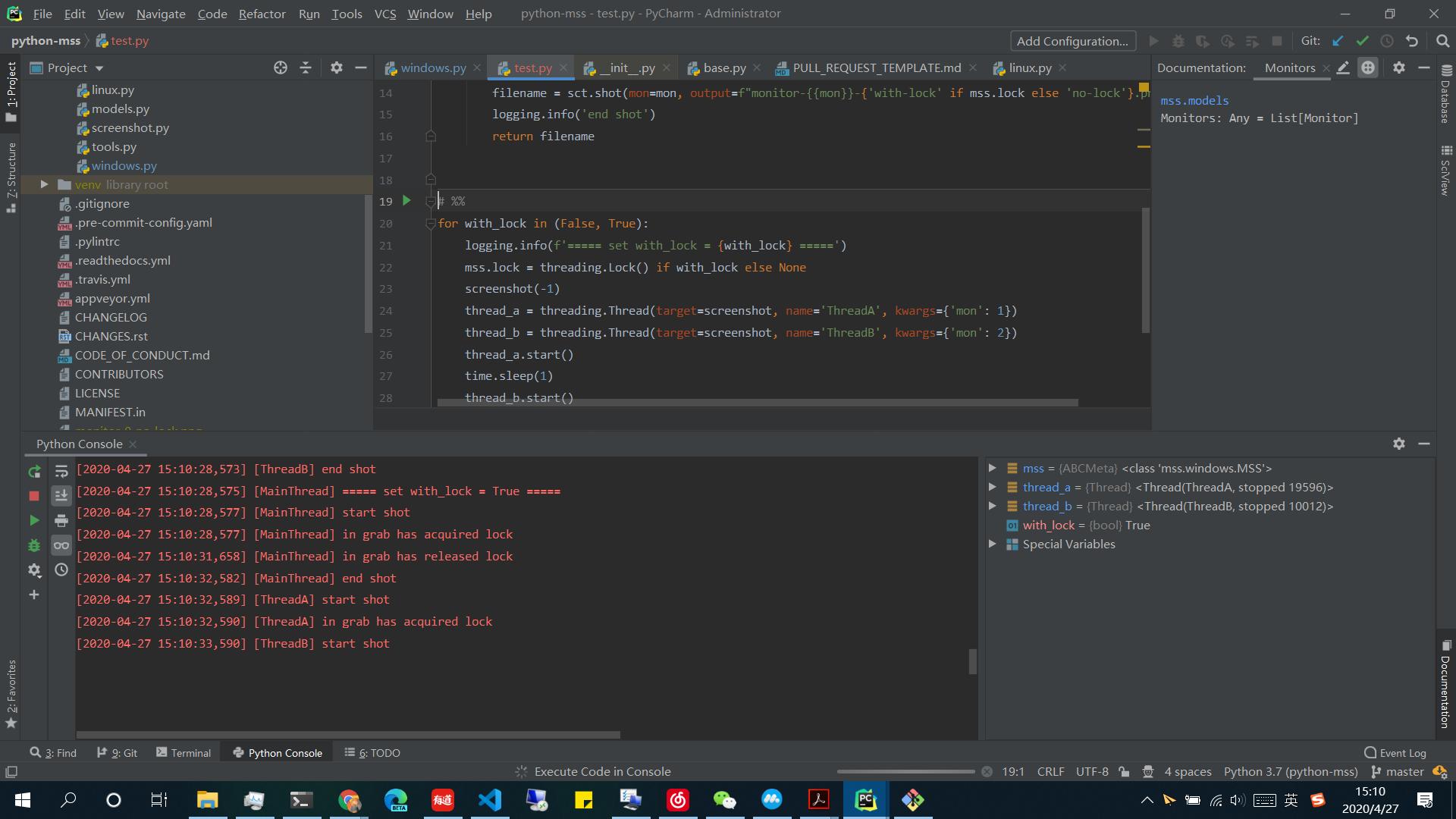
I add a time lapse(3 seconds) between
gdi32.BitBltandgdi32.GetDIBits, and check whether to acquire lock whengrabcalled. Last time, I suggest to acquire lock when mss() created, but only in grab may be a better choice. The modified code ofwindows.pyandtest.pyare hosted on gist.Console
Screenshots
Without lock: wrong screenshots. Two monitors in one screenshot: Two monitors in separated screenshot: monitor-1 of ThreadA is overridden by ThreadB.
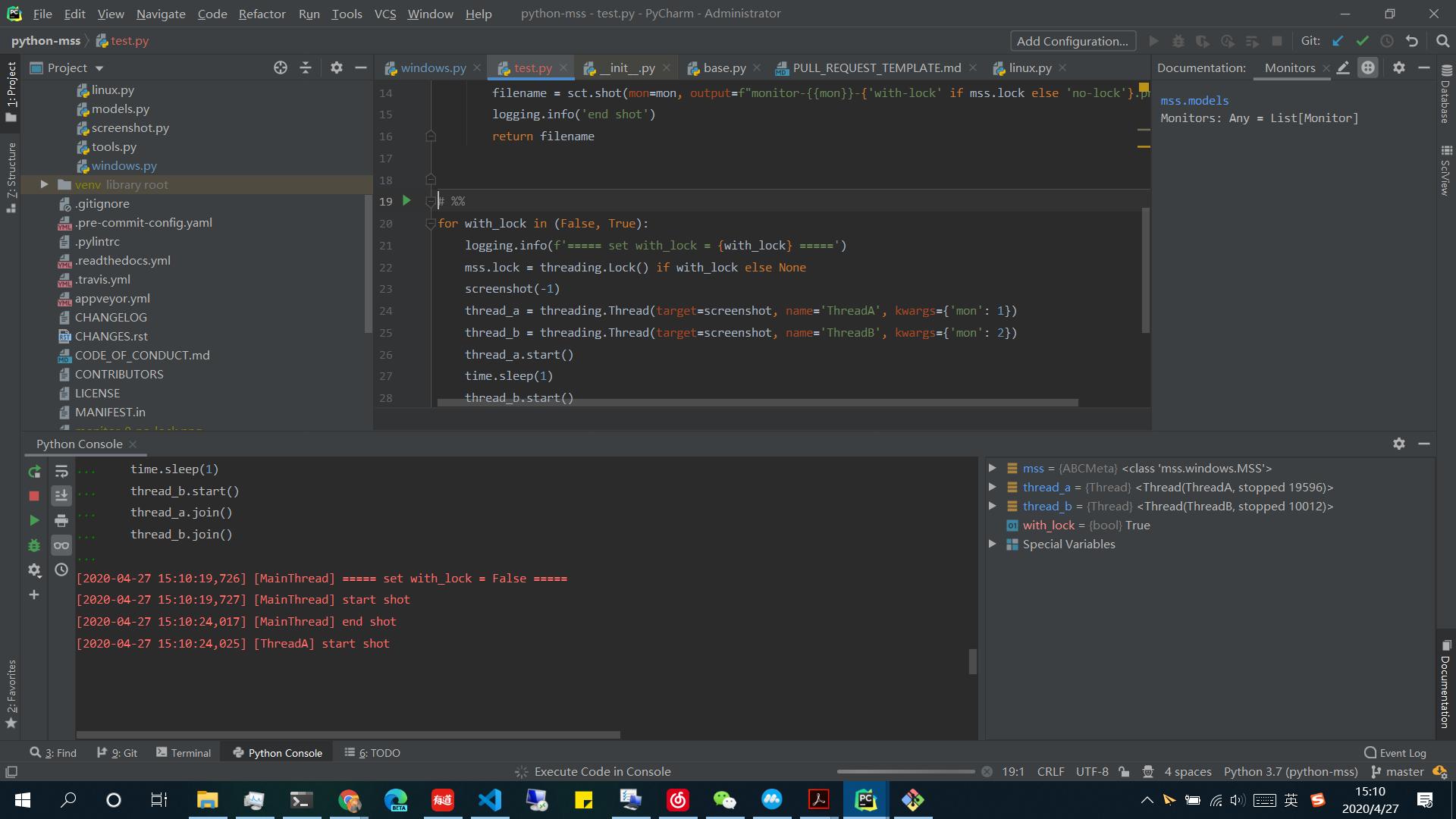 +
+ With lock: works as expected
Two monitors in one screenshot:
With lock: works as expected
Two monitors in one screenshot:
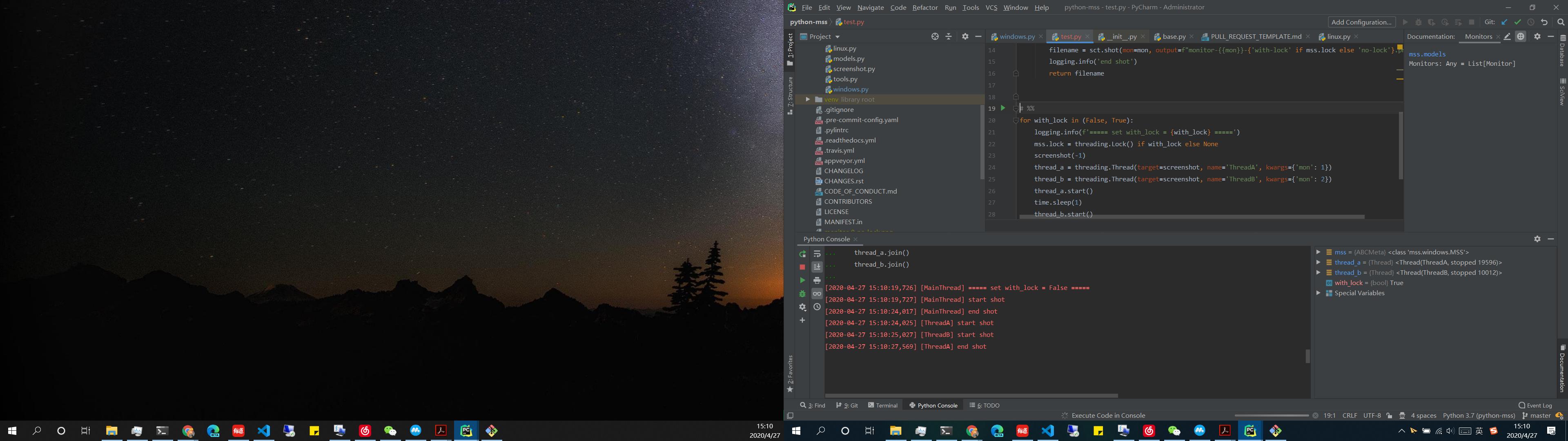 Two monitors in separated screenshot:
 +
+
I will open a PR both with srcdc_dict and lock fixed.
FTR the code works fine on macOS. Will try later on Windows.
And if you move the MSS object at the root of the script, something like
MSS = mss.mss()and use it to grab:frame_rgb = MSS.grab(MSS.monitors[2]).