backstage: Entering YAML-null values when creating a component breaks the component registration
Summary
When creating a new component from one of the available templates, the user can insert whitespace, null, and ~ for the owner field and the description field. This breaks the registration of the component from the component-info.yaml file since the three values are interpreted as null in YAML which throws an error in the catalog. This results in the component being published to the repo but not registered in the catalog; when attempting to registering it manually an error occurs.
Creating a component with whitespace for the description and owner:
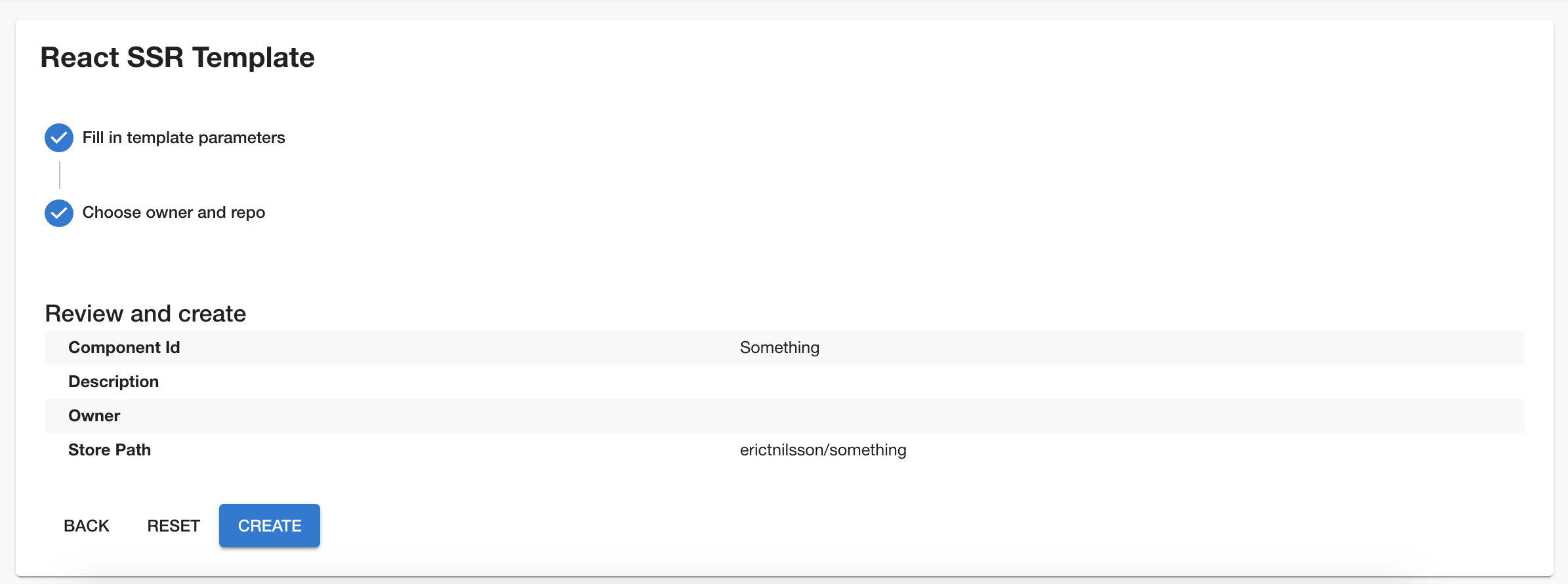 The generated
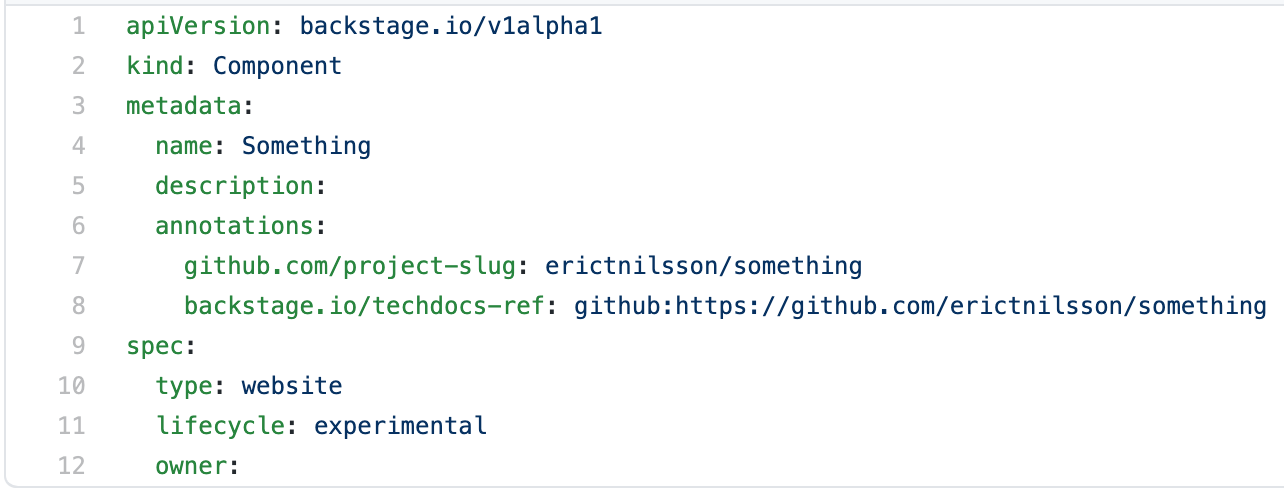
 component-info.yaml:
 The error thrown when manually registering the component:

Expected Behavior
The form should probably not allow the user to enter whitespace, null, and ~ in the description field and the owner field, just like the form validates the storePath field.
Current Behavior
The form allows the three null-values and the component fails to register to the catalog after creating and publishing the component.
Possible Solution
To solve it, I think that we can set a format for the owner and the description in the component’s template.yaml. Then, we can inject a customFormat in TemplatePage.tsx that contains a RegEx filtering any inputs that are whitespace, null, or ~.
Steps to Reproduce
- Navigate to /create/ and pick any component template.
- Set the description and/or the owner to whitespace,
null, or~. - Create the component.
- Wait for it to complete, see results.
- (optional) try to register the newly-created component at
/register-component, see error.
Context
Error from catalog when it tries to register the faulty component-info.yaml:

Your Environment
- NodeJS Version (v12): v12.18.4
- Operating System and Version: macOS catalina version 10.15.4
- Browser Information: Google Chrome Version 85.0.4183.121 (Official Build) (64-bit)
About this issue
- Original URL
- State: closed
- Created 4 years ago
- Reactions: 2
- Comments: 17 (17 by maintainers)
See the PR that just got linked above for a partial fix for the null values