azure-functions-host: Use of IdentityDbContext not supported in Azure Function?
From @gizmo3399 on July 7, 2018 20:53
I am trying to create an Azure Function that modifies some data in an SQL database.
I have setup EntityFrameworkCore in a separate .NETStandard 2.0 class library.
In the web project I configured EF for I make use of the Identity service provided by the web template (individual user accounts) therefore I use the IdentityDbContext over the regular DbContext.
I have referenced the class library in my functions project which is a (V2 preview azure functions project).
var options = new DbContextOptionsBuilder<HumbleGameKeysContext>();
var connectionString = Environment.GetEnvironmentVariable("ConnectionStrings:HumbleGameKeysContext");
options.UseSqlServer(connectionString);
return new HumbleGameKeysContext(options.Options);
If i instantiate my DbContext like above, I get the following error:
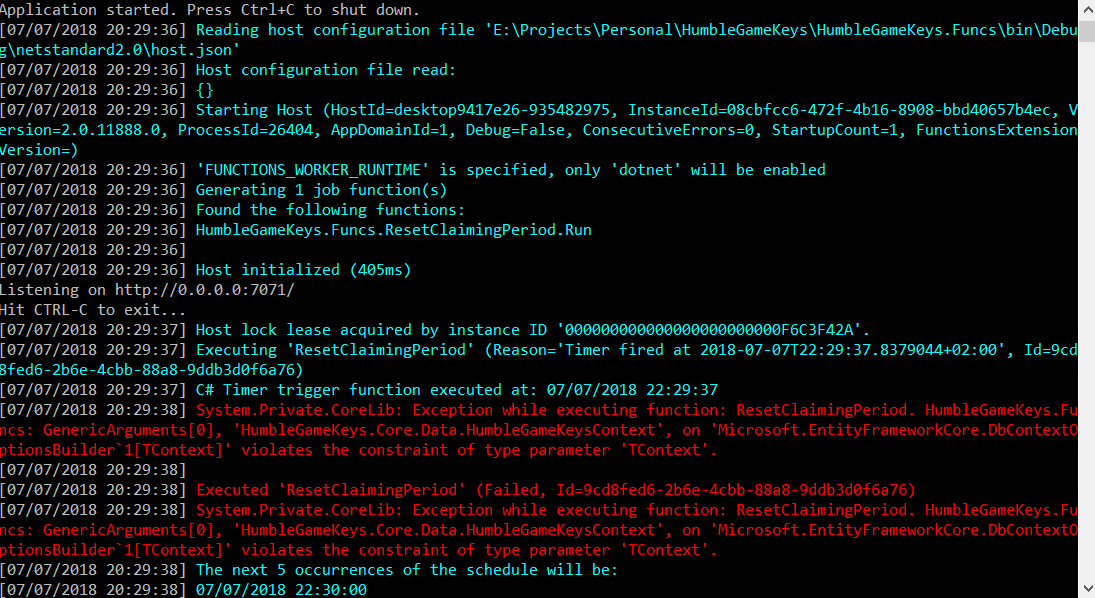 Even though this is the exact same way it is instantiated in the AspCore web project.
If I instantiate it without a connection string it creates a context but when getting all users on it I get the following error:
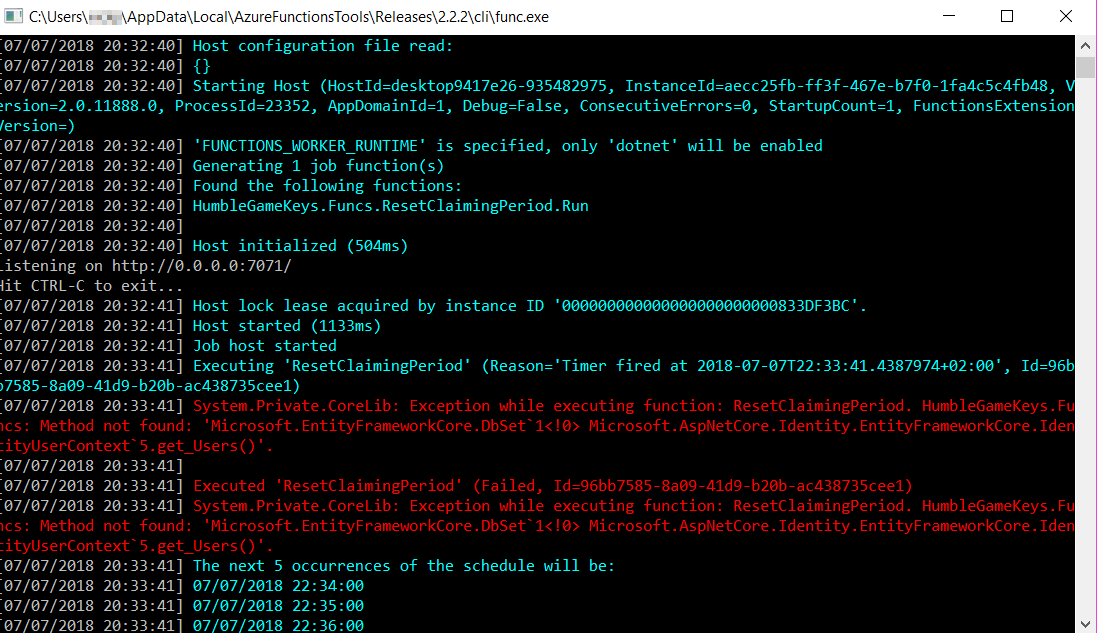
I am not sure if this is because it has no connection string, but I would expect some kind of connection error instead.
But when I change the HumbleGameKeysContext into a regular DbContext instead of a IdentityDbContext everything works fine and I can instantiate a context using the above code.
Retreiving data from the Database also works.
But for the function I want to write I actually need to access the Users DbSet which only exists on the IdentityDbContext.
I could separate the data I need to access into a separate table or I could maybe model the Users table myself. But I am interested to know if this can be supported out of the box.
But for now it seems that an IdentityDbContext is not supported or did I make a mistake anywhere?
I have used these tools and NuGet packages:
- Visual Studio 2017 v15.7.4
- Azure Functions and Web Job Tools extension v15.0.40617.0
- Azure Functions CLI tools v2.2.2
- Microsoft.AspNetCore.Identity.EntityFrameworkCore v2.1.1
- Microsoft.EntityFrameworkCore v2.1.1
- Microsoft.EntityFrameworkCore.SqlServer v2.1.1
- Microsoft.NET.Sdk.Functions v1.0.14
If anyone has got this working before or has any information that could help I would appreciate it.
Copied from original issue: Azure/Azure-Functions#878
About this issue
- Original URL
- State: closed
- Created 6 years ago
- Reactions: 4
- Comments: 22 (12 by maintainers)
This is being addressed with the release currently rolling out: https://github.com/Azure/app-service-announcements/issues/180
We’re also going to post updates to the .NET Core/ASP.NET Core version supported by functions on the same announcements repo.
I get this error again: Azure Functions Core Tools (2.1.748 Commit hash: 5db20665cf0c11bedaffc96d81c9baef7456acb3) Function Runtime Version: 2.0.12134.0 Microsoft.AspNetCore.Identity.EntityFrameworkCore: 2.1.3 Microsoft.EntityFrameworkCore: 2.1.4
and I found downgrade ef core from 2.1.4 to 2.1.3 can resolve this issue. Is there any way to break the strong bind between the azure function host and some other nuget packages version?